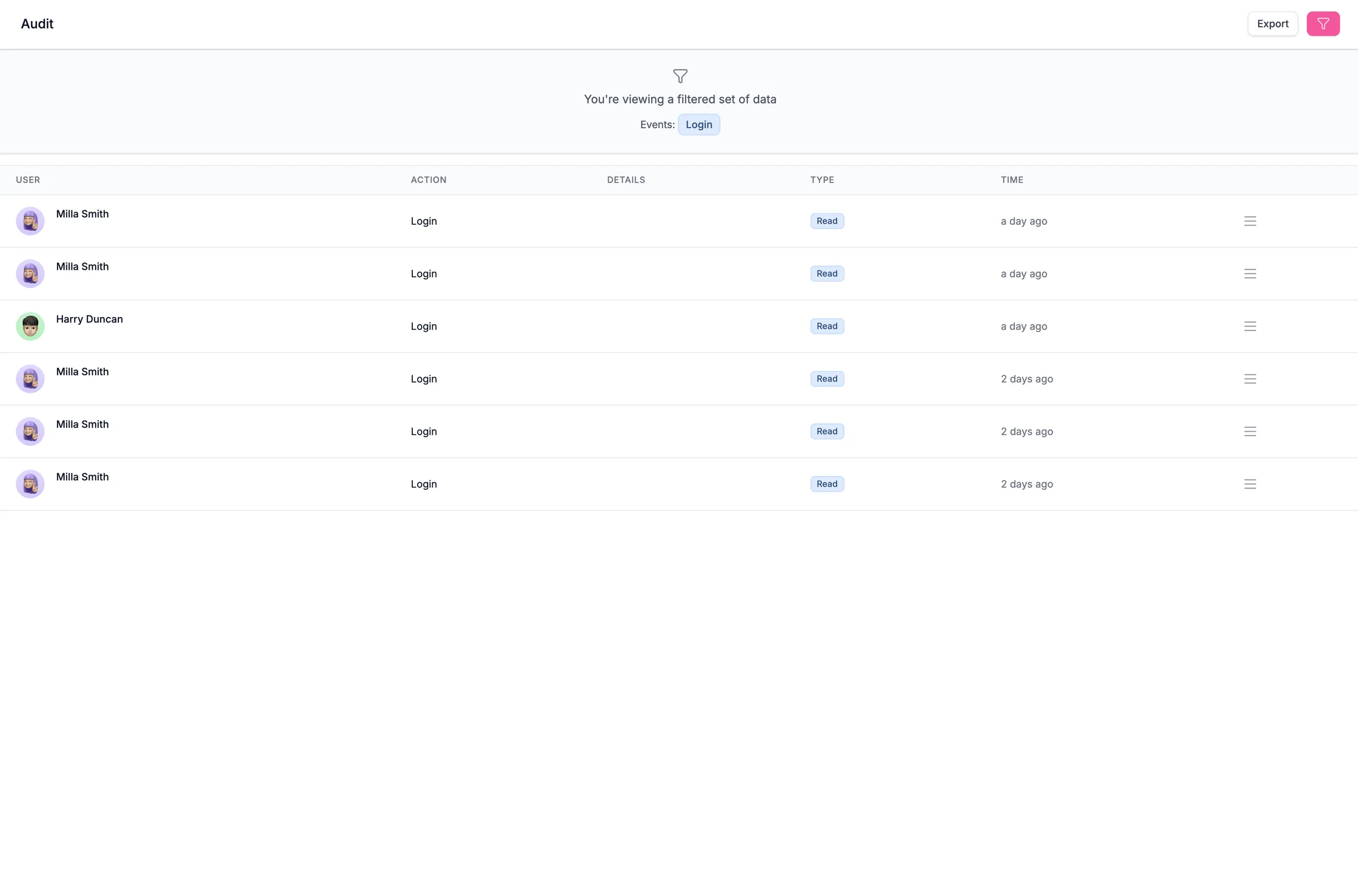
Audit trail
Who did what, and when. Usually the difference between answering a SOC 2 or ISO evidence request in a minute and rebuilding six months from memory.
HelpDocs is knowledge base software built for runbooks, escalation paths, and the systems knowledge that only lives in one person's head. Private by default, permissioned per article, and traceable when something changes.
 Posted “Queue worker restart” to #incidentsSlack
 Answered from “Escalation policy” in JiraAtlassian Rovo
 Drafted “Certificate rotation” from raw notesClaude
 Updated “Offboarding checklist”HelpDocs MCP
Most IT documentation does not fail because nobody wrote it. It fails because it was written once, the system changed, and nothing forced the page to change with it. Then the one person who knew the real answer is on holiday.
Flag ageing articles and see which ones people actually open, so maintenance goes where it matters instead of everywhere.
The queries that return nothing are a ready-made backlog of the documentation your team needed and did not have.
HelpDocs AI turns a rough set of notes into a structured article, so writing it up stops being the thing that never happens.
BUILT FOR INTERNAL TECHNICAL DOCS
Who can see it, who changed it, and whether it is still true. Everything else is a nice-to-have once those three are wrong.
Who did what, and when. Usually the difference between answering a SOC 2 or ISO evidence request in a minute and rebuilding six months from memory.
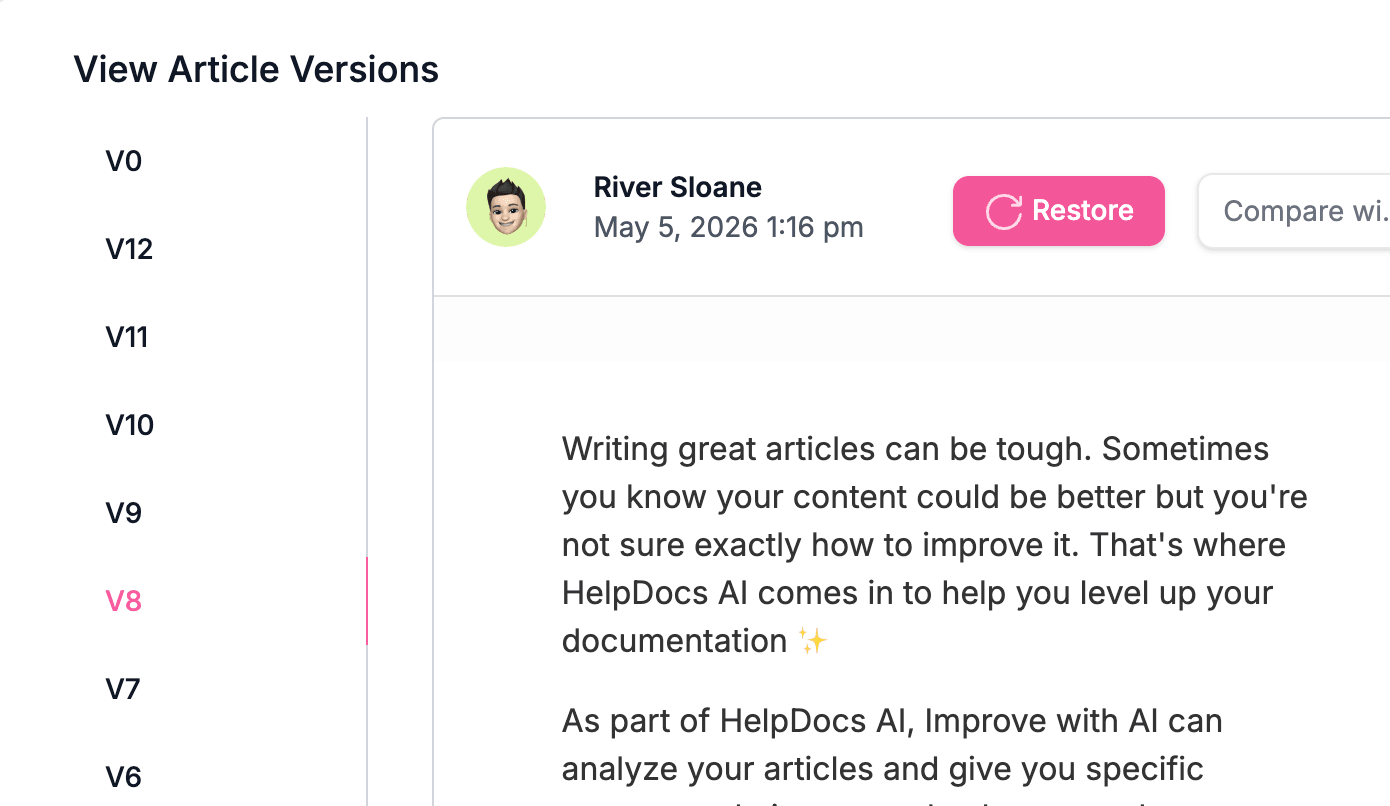
Every edit kept, side by side, with one-click restore. When a procedure stops working you can see exactly what changed and roll it back.
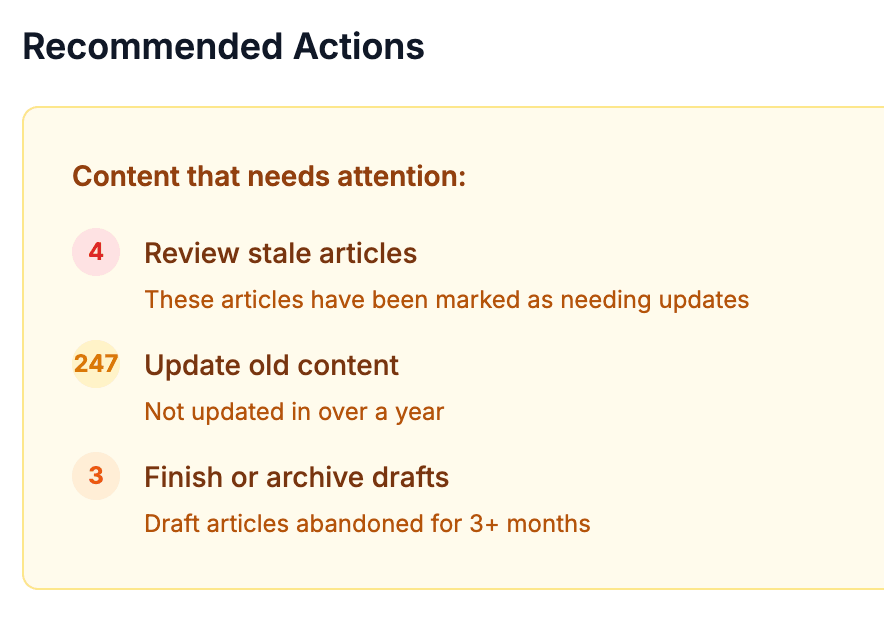
A standing list of what needs attention: articles flagged for review, content untouched in over a year, and drafts somebody abandoned.
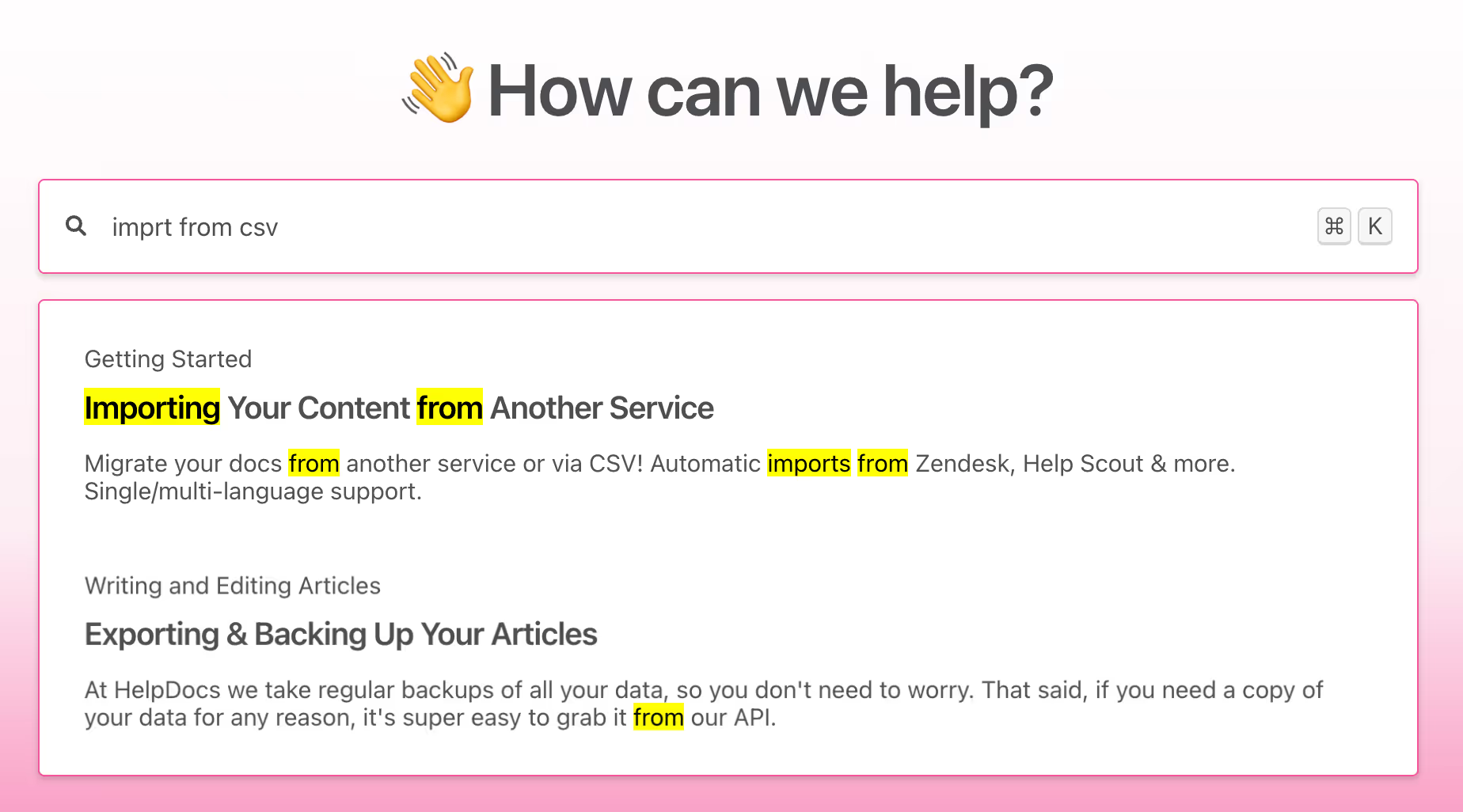
Search matches inside article bodies, not just titles, and highlights the passage. At 2am that is the whole difference between a good runbook and a useless one.
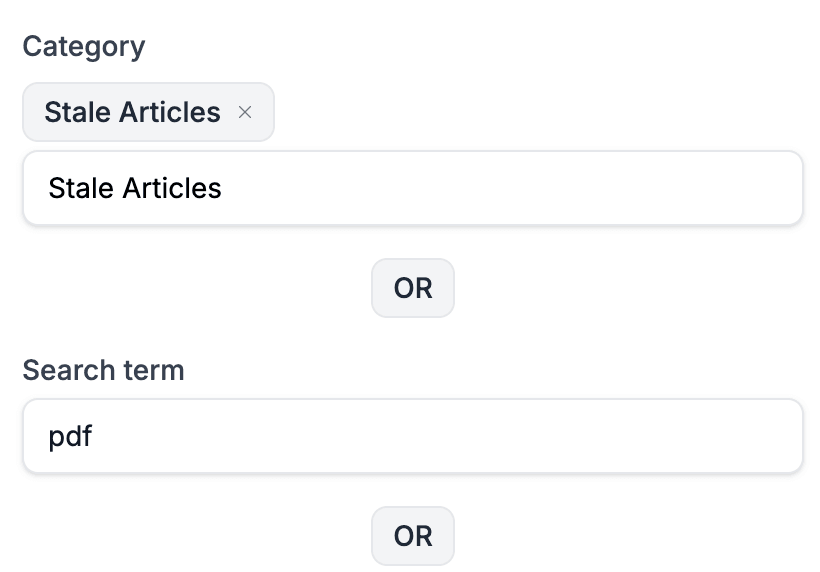
Filter by category, tag, or search term, then act on the whole set at once instead of opening two hundred articles one at a time.
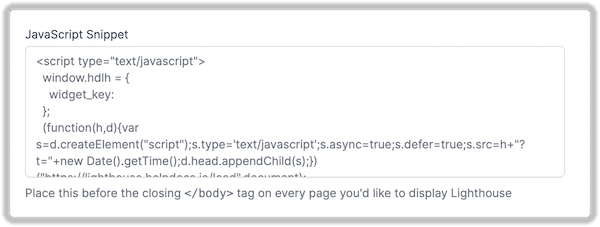
One snippet puts search and articles inside the admin panels and dashboards your team already lives in. There is a read/write REST API and an MCP server too, if you would rather script it.
Put a category or a single article behind a permission group, so the on-call runbook and the laptop policy can live in one knowledge base without seeing each other. Readers sign in through SAML, OpenID Connect, or JWT, so access follows the joiner and leaver process you already run.
See permissions, SSO, and auditNot a documentation project. Just the material that costs you most when it only exists in somebody's head.
Restart the queue worker, rotate the certificate, recover the failed migration. The procedures somebody follows at 3am.
Who to wake, in what order, and what to say. Kept private, with the thresholds that decide when.
The accounts, access, and hardware checklists that get missed when somebody is doing them from memory.
Support contract numbers, renewal dates, and the account manager who actually answers.
What broke, what fixed it, and what changed after. The corpus that stops the second occurrence.
Laptop, VPN, password, and access policies, published once so the answer is a link rather than a retyped paragraph.
The teams that succeed here do not block out a week. They write the runbook the next time they are already doing the task.
Guided imports pull in the wiki pages and exports you already have, so day one starts with content rather than an empty sidebar.
Next time somebody runs the procedure, they paste their notes and AI turns them into a structured article. Ten minutes, not an afternoon.
Failed searches and stale flags become the backlog, so nobody has to guess which article matters or audit the whole thing by hand.
The tools your team already has open
Browse all integrationsThe blank page is the hard part. Every template ships with an AI prompt you can open straight in Claude or ChatGPT.
Templates
FAQ
Start a free trial, import what you already have, and give your team documentation they can find under pressure.
No credit card required.