Never ask “what’s missing?” again.
See what customers search, which docs help, where AI gets used, and what your team should improve next.




What are customers trying to find?
Search is the clearest signal you have. See what people look for, what they can't find, and what's picking up steam.
Top searches
The terms customers use most, ranked by volume.
Searches with no results
Spot the gaps where people search and come up empty.
Searches over time
Watch demand rise and fall so you can get ahead of it.
Search click-throughs
See which results people actually open after searching.
Popular search terms
The evergreen questions asked again and again.
Intelligent grouping
Similar phrases grouped together, so you're not digging through duplicate queries.
Which docs are actually helping?
See which articles people read, return to, and rely on, so your team can understand what's carrying the support load.
Article views
How many times each article is opened.
Unique visitors
How many people read, not just raw page loads.
Popular articles
Your workhorses, the docs carrying the support load.
Views over time
Spot spikes and slumps as they happen.
Flamegraphs
A visual map of where attention flows across your docs.
Happiness
Readers rate articles 😍 😐 😓, so you know what lands.
Top categories
See which sections pull the most weight.
Is our content aging well?
See how fresh your library is and how traffic spreads across it, so you know whether your content is in good shape.
Article age distribution
How much of your library is fresh versus aging.
Aging content alerts
A heads-up when too much hasn't been updated in a year.
Traffic distribution
Whether attention is spread out or piled on a few pages.
Concentration by top-N
The share your top article, top 3, 5, and 10 hold.
Healthy library check
See at a glance whether your content is in good shape.
Which docs need maintenance?
Content maintenance reports surface stale articles, old content, abandoned drafts, and working copies, then tell your team exactly where to focus.
Stale articles
Articles your team flagged as needing an update.
Old content
Docs left untouched for over a year.
Working copies
Unpublished edits still waiting to go live.
Abandoned drafts
Drafts left unfinished for months.
Recommended actions
A prioritized to-do list of what to fix first.
AI content generation
Drafts, rewrites, and metadata written with AI.
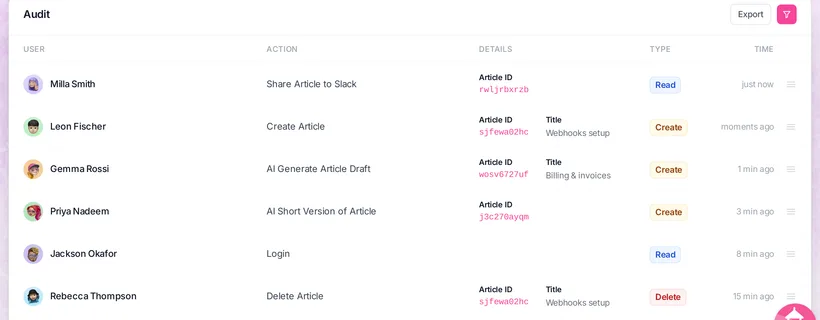
Author leaderboard
Who's creating and maintaining the most content.
Export anything
Take any report with you as a CSV.
Keep bots out of your numbers.
Your spam filter automatically screens suspicious traffic out of your analytics, at a level you set. Real readers still see your docs, they just don't skew your stats.
Automatic spam filtering
We screen out suspicious traffic for you, nothing to configure.
Filter levels
Dial it Off, Permissive, Balanced, or Strict to match your risk.
Suspicious activity
Bot-like and abusive patterns get caught before they skew your numbers.
Traffic pattern analysis
We study how each visitor behaves, not just where they're from.
Cloud provider allowlist
Only count traffic from the cloud providers you trust.
Cleaner analytics
Filtered visitors drop out of your stats, they can still read your docs.
How is AI using our documentation?
See which AIs are visiting, which articles support them, and how many of those visits were for real customer queries.
Total AI references
Every time an AI assistant pulled from your docs.
Customer queries
The references that were real customer questions.
AI search indexing
When AI search engines index your content.
Training crawls
Bulk crawls that train the models.
By AI assistant
See ChatGPT, Claude, Amazon, and more, ranked.
References over time
Watch AI traffic grow quarter over quarter.
Most-cited articles
The docs assistants reach for again and again.
Can we focus on specific data?
Filter every report by period, category, article, audience, and more, so the numbers you're looking at are the ones that matter.
By date range
Zoom into a date window, limit based on plan.
By category
Narrow to one section, or drill into a single category tree.
By article
Search and pin the exact articles you want to measure.
By users & groups
Slice by who's reading, or by the team they belong to.
Anonymous only
Exclude logged-in users to isolate public traffic.
Bot traffic toggle
Fold AI assistants into the totals, or leave them out.
Spam level
Apply Off, Permissive, Balanced, or Strict right in the report.
Source & IP filters
Pick a data source and exclude noisy IP addresses.
Start building your documentation infrastructure.
Start free 14-day trialCreate, organize, translate, and connect your docs without the admin sprawl of a support suite.
No credit card required.
