
 vs

HelpDocs vs Claude Docs
Claude Docs is for writing with Claude and your team. HelpDocs is for an easily searchable knowledge library with authoritative content.
The verdict
Claude Docs is Anthropic's document editor inside Claude: you request a doc, Claude drafts it in the conversation, and your team edits and comments on it together.
That makes it a fit for internal, one-on-one documents like a plan, a spec or a brief, but publishing isn't its purpose. Anthropic's help article says sharing stays inside your organization on Team and Enterprise, and on Free, Pro and Max anyone holding the link can read a doc, provided they have a Claude account. HelpDocs covers the other half of the workflow: a help center with your branding on your own domain, where customers can look things up and read pages with no account required.
HelpDocs is best for
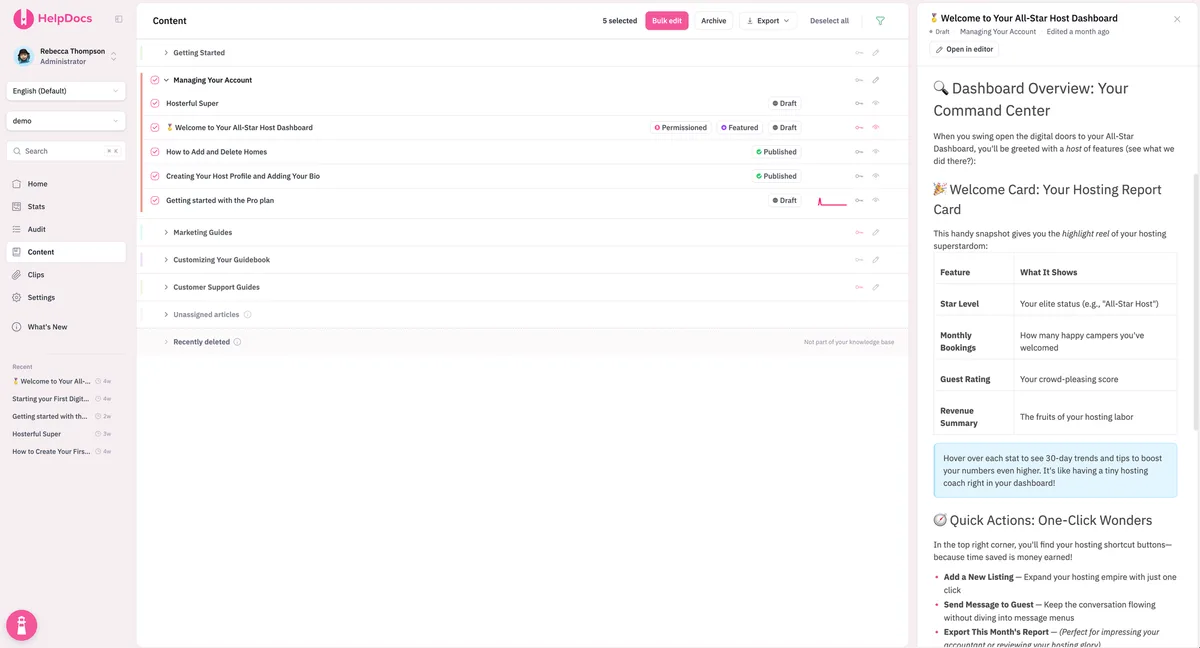
If your team publishes documentation people actually count on, HelpDocs covers all of it: a public help center customers discover through a search engine, an internal knowledge base with permission groups and an audit trail, or both. As many readers as you want won't cost you a thing, and the flat pricing is on the page, so you can buy without a sales call.
Claude Docs is best for
Teams already paying for Claude who want to draft, revise and share working documents with each other. Claude writes the first draft, replies in comment threads, and exports to Word, PDF, Markdown or Google Docs when a doc needs to live somewhere else.
Feature by feature
How they stack up, feature by feature
A side-by-side look at what HelpDocs and Claude Docs each include, grouped by the job you're trying to do.
Setup & onboarding
How quickly you can go from signup to a live, branded knowledge base.
| Feature | HelpDocs | Claude Docs |
|---|---|---|
| Free trial without talking to sales | Yes | You get Docs on every Claude plan, even Free.Checked against public sources. Worth verifying yourself. |
| Published, self-serve pricing | Yes | You can see pricing for all of Claude's plans, Enterprise tier included.Checked against public sources. Worth verifying yourself. |
| Standalone knowledge base (no support suite required) | Yes | Every doc lives inside the Claude conversation where you wrote it, and it also shows up in your Artifacts tab. Readers don't get categories or navigation to browse through.Checked against public sources. Worth verifying yourself. |
Authoring & editing
The day-to-day writing experience for the people who maintain your docs.
| Feature | HelpDocs | Claude Docs |
|---|---|---|
| WYSIWYG editor | Yes | Rich-text documents with tabs, comments, and live editing for multiple people at once.Checked against public sources. Worth verifying yourself. |
AI & search
How well the knowledge base answers questions and deflects tickets on its own.
| Feature | HelpDocs | Claude Docs |
|---|---|---|
| AI included in the base subscription | Yes | Docs draw from your Claude plan, and long docs from multiple sources use a bigger chunk of that usage limit.Checked against public sources. Worth verifying yourself. |
| AI drafting and rewriting in the editor | Yes | Claude Docs is built around this. Claude writes the first draft, explains its decisions in comments, and revises the doc whenever you mention @Claude in a thread.Checked against public sources. Worth verifying yourself. |
Branding & customization
Making the help center look and feel like your own product, not a vendor template.
| Feature | HelpDocs | Claude Docs |
|---|---|---|
| Custom domain | Yes | Instead of publishing your docs as a website, they're shared as links within Claude.Checked against public sources. Worth verifying yourself. |
Access & permissions
Who can read and edit what, and whether the platform meets security reviews.
| Feature | HelpDocs | Claude Docs |
|---|---|---|
| Private or internal knowledge base | Yes | On Team and Enterprise, you decide who gets access to a doc: certain people, a group, or your entire organization. Each doc is shared separately.Checked against public sources. Worth verifying yourself. |
| Unlimited free reader accounts | Anonymous readers of a public help center are unlimited and free. Gated or authenticated readers can cost extra. | On Team and Enterprise plans, you can't share docs beyond your organization yet. Free, Pro and Max let anyone with a link view docs, as long as they have a Claude account.Checked against public sources. Worth verifying yourself. |
| Content-level permission groups | Yes | Each doc comes with two access levels, viewer and editor, and there's no comment-only option available yet. If you're on Enterprise, admins can control who gets to use Docs at all through custom roles.Checked against public sources. Worth verifying yourself. |
| Audit trail | Yes | Anthropic confirms that edits and comments you leave in Docs aren't captured by the Compliance API yet, and deleting a doc removes it permanently, since there's no trash.Checked against public sources. Worth verifying yourself. |
| SOC 2 Type 2 report | Available on request on Harvest and Enterprise. | Anthropic's SOC 2 Type 2 report covers Claude Team and Enterprise. Its trust center doesn't list the Free, Pro, or Max plans.Checked against public sources. Worth verifying yourself. |
Pricing
Pricing, side by side
We double-checked these figures against Claude's pricing page on October 27, 2026. Claude Docs isn't available by itself; it ships with every Claude plan, so the cost is what you already pay for Claude. HelpDocs runs a flat monthly fee for a fixed number of editors, plus unlimited public readers at no charge.
Sprout
$99/mo billed annually (23% off). 5 editors, 1,000 AI credits/mo, AI meta features, AI drafts and rewrites, Ask AI, 3 languages, the Lighthouse widget, custom CSS and JavaScript, unlimited free public viewers.
Bloom
$239/mo billed annually (20% off). 15 editors, 5,000 AI credits/mo, AI meta features, AI drafts and rewrites, Ask AI, AI improve, AI style enforcement, 20 languages, audit trail, advanced permissioning, embedded SSO (JWT), the Lighthouse widget, custom CSS and JavaScript, custom HTML templating, unlimited free public viewers.
Harvest
$399/mo billed annually (20% off). 25 editors, 10,000 AI credits/mo, AI meta features, AI drafts and rewrites, Ask AI, AI improve, AI style enforcement, unlimited languages, audit trail, advanced permissioning, SSO with anonymous mode, IP restriction, the Lighthouse widget, custom CSS and JavaScript, custom HTML templating, unlimited free public viewers.
Free
Docs come along for the ride. Send a link to anyone who has a Claude account.
Pro
Pay $200 up front for a year, or go month to month at $20. Docs is included.
Max
Monthly billing with 5x and 20x usage tiers. Docs is included.
Team
Standard seats are billed annually, or $25 if you pay month to month. Premium seats run $100 annually or $125 month to month. Fits teams of 2 to 150. Docs can only be shared inside your organization.
Enterprise
Billed annually with a 20-seat minimum, and all usage is charged at API rates on top of seats. Docs are on by default starting October 15, 2026.
The bottom line: Claude Docs adds nothing to your Claude bill, and for internal working docs that's a deal hard to beat. It can't fill in for a help center, though, since anyone reading it needs a Claude account or a seat in your org on Team and Enterprise. HelpDocs Sprout runs $129/mo ($99 annually) for 5 editors, and no one reading your docs ever pays or creates an account. Plenty of teams end up running both.
Switching
Switching from Claude Docs
You won't find a direct link between the two, and that's fine. Claude Docs can export to Word and Markdown, and HelpDocs imports both, breaking each file into articles along its own headings with no AI credits spent. Keep drafting in Claude and push the finished version over to HelpDocs when you're ready.
- 1Head to Claude, open your doc, and export it as Markdown or Word.
- 2Upload the file to HelpDocs, then see where it broke into articles.
- 3Sort the articles into categories, then drop in your images and links.
- 4Publish, then set your custom domain to point at HelpDocs if you haven't done that yet.
Honest trade-offs
Why teams pick one over the other
Why teams choose HelpDocs
- Every plan comes with your own custom domain, so your help center lives there, complete with categories, navigation and search with failed-search reporting.
- Anyone can read your public articles without creating an account, and every plan includes unlimited free public viewers.
- Findable docs. A Claude Doc sits right next to the conversation that created it, a good fit for something still in motion. HelpDocs sorts all your articles into categories, backed by a home page and search, so someone brand new can still navigate to what they need.
- Your internal docs come with real controls: permission groups, an audit trail and JWT SSO on Bloom, plus SAML and OIDC SSO on Harvest.
- Track article changes with side-by-side diffs, so you'll know exactly what was edited and who edited it.
- The Lighthouse widget comes with every plan, letting you embed your articles right inside your product.
- You'll get AI credits with every plan, so Ask AI can answer readers using your published articles and drafting and rewriting work inside the editor.
- Claude plays nicely alongside your knowledge base: plug it in over MCP and it answers using your approved articles.
Why teams choose Claude Docs
- Every Claude plan includes it, even the Free one, so most teams probably already have access.
- Claude asks you clarifying questions first, then turns your conversation into a first draft and adds comments explaining its choices.
- Tag @Claude in a comment, and it'll update the doc and respond right in the thread.
- Send your doc out to Word, PDF, Markdown or Google Docs, and let Claude Slides turn it into a deck.
- Available on the web, desktop, and mobile, or right inside Claude Code.
More ways to weigh your options.
Every alternative to the tool you're comparing, and how HelpDocs stacks up against the others.
Alternatives
Other comparisons
- HelpDocs vs Confluence A dedicated knowledge base for authoritative docs with flat pricing, compared with Confluence's collaborative team wiki tied to Jira.
- HelpDocs vs Building it yourself The first version takes a fortnight. The tenth year is the problem.
- HelpDocs vs Document360 A fair, up-to-date look at how the two knowledge base platforms actually differ, from pricing to AI to migration.
FAQ
Questions about HelpDocs vs Claude Docs
What is Claude Docs?
Can I use Claude Docs as a help center or knowledge base?
Does Claude Docs cost extra?
Can I move a Claude Doc into HelpDocs?
Can Claude answer questions from my HelpDocs knowledge base?
Should I use Claude Docs and HelpDocs together?
Not decided yet
Still building a shortlist?
A head-to-head is the wrong shape when you have not narrowed the field yet. Our roundup compares twelve knowledge base tools on setup, search, branding and real pricing.
Ready to switch to HelpDocs?
Create, organize, translate, and connect your docs without the admin sprawl of a support suite.
No credit card required.