
Test Plan Template
A test plan template gives your team one agreed way to describe what you will test, how, by whom, and what counts as done. Use this free test plan template to scope testing for a release or feature, line up environments and responsibilities, and set clear entry and exit criteria, then keep it alongside the rest of your product documentation.
 Download for Word
 Claude
 ChatGPT
I need to write a Test Plan. Act as an expert technical writer and draft one for me.

Use this structure, keeping each section clear, concise, and genuinely useful to the reader:

1. Title and identifier
2. Purpose and references
3. Scope
4. Test approach
5. Test environments and data
6. Test cases
7. Roles and responsibilities
8. Schedule
9. Entry and exit criteria
10. Defect management
11. Risks and contingencies
12. Sign-off

Before you begin, ask me for the details you need: the product, team, or audience this is for, and anything specific I should include. Then write the full Test Plan in clean, well-formatted Markdown.
Write a Test Plan using the structure below. Keep each section clear, concise, and genuinely useful to the reader.

Structure:
1. Title and identifier
2. Purpose and references
3. Scope
4. Test approach
5. Test environments and data
6. Test cases
7. Roles and responsibilities
8. Schedule
9. Entry and exit criteria
10. Defect management
11. Risks and contingencies
12. Sign-off

Use rich formatting so it reads well in a knowledge base:
- Clear headings and subheadings for each section.
- Callout boxes for asides: a Tip callout for advice, a Note callout for helpful context, and a Warning callout for anything a reader must not miss.
- Tables for structured or comparison content.
- Numbered lists for sequential steps and bulleted lists for options.
- Bold for key terms and any values people must not get wrong.
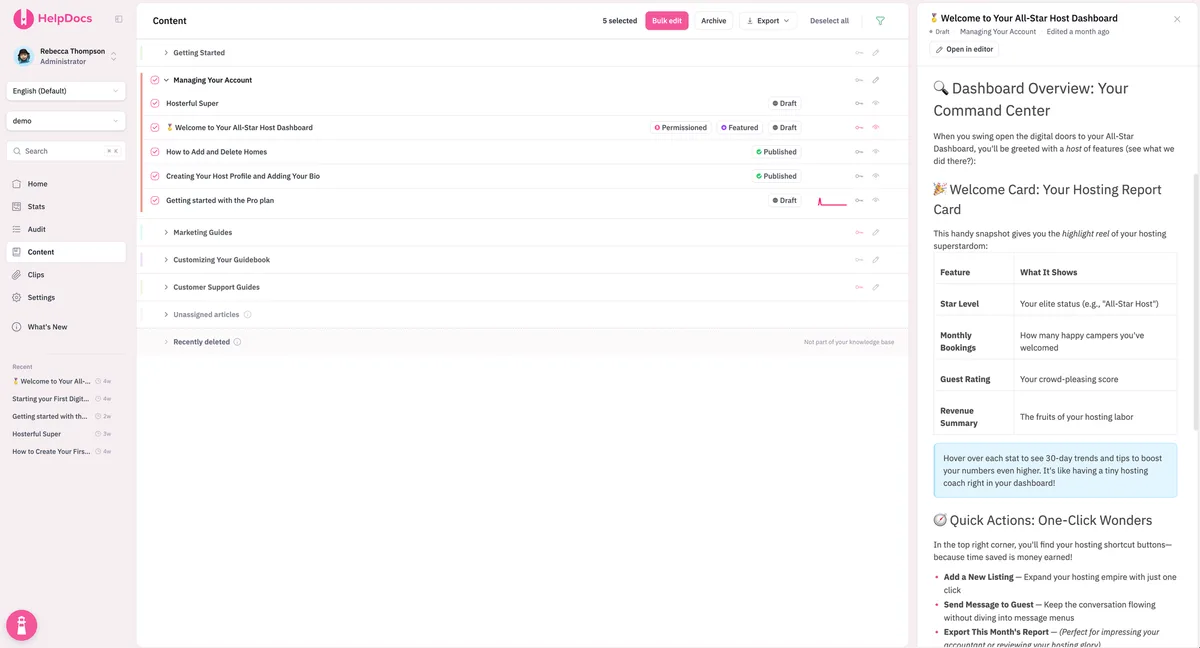
Connected HelpDocs over MCP? Add "save this as an unpublished HelpDocs article" to the prompt and the draft lands in your knowledge base, ready to review.
## The test plan template

### 1. Title and identifier

State which release, feature, or project you're testing, then attach a brief identifier and the version number. Also note who owns this plan and when it was approved.

### 2. Purpose and references

In a sentence or two, spell out what this testing is meant to prove. Also link the documents it's grounded in: the PRD, the designs, the technical documentation, and any earlier test plans.

### 3. Scope

State what you're testing and, with equal clarity, what you're not. Spell out the features, platforms, browsers, devices, integrations, and languages that fall in scope.

- **Covered:** the features and configurations you plan to test
- **Skipped:** what you're leaving out on purpose, and why

### 4. Test approach

Lay out the kinds of testing you'll run and how you'll carry them out: functional, regression, integration, performance, accessibility, security, and user acceptance testing. Spell out which tests run automatically and which stay manual.

### 5. Test environments and data

Describe where the testing runs and the setup it relies on: environments, accounts, feature flags, devices, and test data. Also spell out how test data gets created and reset, plus whatever you'll need ready before testing can begin.

### 6. Test cases

Show the test cases right here, or drop a link to wherever they're kept. Tie each one to a requirement so you don't miss a thing.

| ID | Requirement | Test case | Expected result | Status |
| --- | --- | --- | --- | --- |
| TC-01 | TODO | TODO | TODO | TODO |

### 7. Roles and responsibilities

Spell out which role writes the tests, which runs them, which triages defects, and which signs off. Go with roles, not names, so the plan doesn't need rewriting every time someone changes jobs.

### 8. Schedule

Call out the major dates for test prep, execution, regression, and sign-off. Then show how your testing fits around the release date and what gets pushed if testing runs behind.

### 9. Entry and exit criteria

- **Entry criteria:** the conditions that have to be met before testing can begin (a build deployed, environments ready, test data loaded)
- **Exit criteria:** the conditions that have to be met before you declare testing complete (every critical test passed, no blocking defects still open, sign-off recorded)

### 10. Defect management

Lay out how you log bugs, prioritize them, assign them to owners, and retest the fixes. Define severity levels clearly so everyone on the team means the same thing by each.

### 11. Risks and contingencies

Call out anything that might throw off your testing, such as unstable environments, late builds, or missing data, and how you'll respond when any of it happens.

### 12. Sign-off

Make sure you jot down who signed off on the results and when.

| Role | Name | Decision | Date |
| --- | --- | --- | --- |
| TODO | TODO | TODO | TODO |
The test plan template
Take this layout into a new article, then fill each section with what’s changing in your release. Hold onto the same headings from plan to plan so reviewers can compare work fast.
1. Title and identifier
State which release, feature, or project you’re testing, then attach a brief identifier and the version number. Also note who owns this plan and when it was approved.
2. Purpose and references
In a sentence or two, spell out what this testing is meant to prove. Also link the documents it’s grounded in: the PRD, the designs, the technical documentation, and any earlier test plans.
3. Scope
State what you’re testing and, with equal clarity, what you’re not. Spell out the features, platforms, browsers, devices, integrations, and languages that fall in scope.
- Covered: the features and configurations you plan to test
- Skipped: what you’re leaving out on purpose, and why
4. Test approach
Lay out the kinds of testing you’ll run and how you’ll carry them out: functional, regression, integration, performance, accessibility, security, and user acceptance testing. Spell out which tests run automatically and which stay manual.
5. Test environments and data
Describe where the testing runs and the setup it relies on: environments, accounts, feature flags, devices, and test data. Also spell out how test data gets created and reset, plus whatever you’ll need ready before testing can begin.
6. Test cases
Show the test cases right here, or drop a link to wherever they’re kept. Tie each one to a requirement so you don’t miss a thing.
| ID | Requirement | Test case | Expected result | Status |
|---|---|---|---|---|
| TC-01 | TODO | TODO | TODO | TODO |
7. Roles and responsibilities
Spell out which role writes the tests, which runs them, which triages defects, and which signs off. Go with roles, not names, so the plan doesn’t need rewriting every time someone changes jobs.
8. Schedule
Call out the major dates for test prep, execution, regression, and sign-off. Then show how your testing fits around the release date and what gets pushed if testing runs behind.
9. Entry and exit criteria
- Entry criteria: the conditions that have to be met before testing can begin (a build deployed, environments ready, test data loaded)
- Exit criteria: the conditions that have to be met before you declare testing complete (every critical test passed, no blocking defects still open, sign-off recorded)
10. Defect management
Lay out how you log bugs, prioritize them, assign them to owners, and retest the fixes. Define severity levels clearly so everyone on the team means the same thing by each.
11. Risks and contingencies
Call out anything that might throw off your testing, such as unstable environments, late builds, or missing data, and how you’ll respond when any of it happens.
12. Sign-off
Make sure you jot down who signed off on the results and when.
| Role | Name | Decision | Date |
|---|---|---|---|
| TODO | TODO | TODO | TODO |
Tip
Tuck your test plans right beside the specs and documentation they cover. Start a free HelpDocs trial so every release gets one easy-to-search home.
How to fill in this test plan template
A test plan only proves its worth when people actually use it. Here are a few habits that go a long way:
- Tie every test back to a requirement. A requirement with no test covering it stays untested. A test with no requirement behind it should make you wonder why it’s there.
- State your scope clearly. Spelling out what you’re leaving out shields the team and tells stakeholders what to expect.
- Lock in exit criteria before you start testing. Figuring out what “done” looks like once release pressure kicks in rarely goes smoothly.
- Keep it brief enough to actually read. Link to your test cases and environment docs instead of dumping everything onto one page.
- Refresh it as you go. Note scope or schedule changes in the plan itself, not only in chat.
- Pass your findings into the docs. Known issues and workarounds you discover while testing have a home in your troubleshooting guide.
If you’re the one drafting the requirements this plan verifies, begin with the PRD template.
Go further