
Training Manual Template
A training manual template gives you a consistent way to teach a role, process, or tool, so every new hire learns the same things in the same order. Use this free training manual template to set learning objectives, break the material into modules, add practice and checks, and keep the finished manual somewhere your team can search and update.
 Download for Word
 Claude
 ChatGPT
I need to write a Training Manual. Act as an expert technical writer and draft one for me.

Use this structure, keeping each section clear, concise, and genuinely useful to the reader:

1. Title and overview
2. Audience and prerequisites
3. Learning objectives
4. Training schedule
5. Modules
6. Practice exercises
7. Assessment
8. Quick reference
9. Resources and support
10. Revision history

Before you begin, ask me for the details you need: the product, team, or audience this is for, and anything specific I should include. Then write the full Training Manual in clean, well-formatted Markdown.
Write a Training Manual using the structure below. Keep each section clear, concise, and genuinely useful to the reader.

Structure:
1. Title and overview
2. Audience and prerequisites
3. Learning objectives
4. Training schedule
5. Modules
6. Practice exercises
7. Assessment
8. Quick reference
9. Resources and support
10. Revision history

Use rich formatting so it reads well in a knowledge base:
- Clear headings and subheadings for each section.
- Callout boxes for asides: a Tip callout for advice, a Note callout for helpful context, and a Warning callout for anything a reader must not miss.
- Tables for structured or comparison content.
- Numbered lists for sequential steps and bulleted lists for options.
- Bold for key terms and any values people must not get wrong.

Where the content genuinely calls for it, also use these interactive blocks (otherwise keep to the formatting above):
- A Steps block for any sequence the reader follows in order, with room for a screenshot on each step.
- Tabs where the same content differs by audience, platform, or plan (for example, admins and members, or macOS and Windows).
Connected HelpDocs over MCP? Add "save this as an unpublished HelpDocs article" to the prompt and the draft lands in your knowledge base, ready to review.
## The training manual template

### 1. Title and overview

Start by naming the role, process, or tool the session teaches. Then add two or three sentences outlining the material and why it's useful to the trainee's work.

### 2. Audience and prerequisites

You'll want to spell out who the manual is for (new hires, one specific team, customers, or partners), plus what they'll need up front: accounts, access, tools, or earlier training. Also include a link to anything they should get through before they begin.

### 3. Learning objectives

Write down what trainees should be able to do by the end of the training. Stick with action verbs, and make sure each one's easy to check.

- Get the tool ready and configured for a brand new customer
- Resolve the five most common requests without needing to escalate
- Explain when a case needs escalating and who to send it to

### 4. Training schedule

Show the modules in the order you'll run them, how long each takes, and whether people work through them on their own or with a trainer.

| Module | Topic | Format | Time | Owner |
| --- | --- | --- | --- | --- |
| 1 | TODO | TODO | TODO | TODO |

### 5. Modules

This is the heart of your manual. Follow the same layout for every module:

1. **Goal.** Name, in a single sentence, what this module teaches you.
2. **Background.** Share only as much background as it takes to understand the task.
3. **Steps.** Number the instructions, keep one action per step, and add screenshots where they're useful.
4. **Example.** Work through an example using data that looks like real life.
5. **Common mistakes.** Flag what readers typically get wrong and show how to sidestep it.

### 6. Practice exercises

Practical exercises that give trainees a safe place to work through each skill, such as a sandbox account or sample data. Tell them what a correct outcome looks like.

### 7. Assessment

Pick how you'll confirm the training took, maybe a quick quiz, a task done with a supervisor watching, a look through some actual work, or a manager signing off. Then spell out what a passing result looks like.

### 8. Quick reference

Here's a single page gathering what people search for most often: the main shortcuts, who to contact, decision rules, and handy links. It's the page trainees come back to after the course wraps up.

### 9. Resources and support

You'll find links to the related SOPs, policies, how-to guides, and tools, along with pointers on who to reach out to and how.

### 10. Revision history

Track each change, who owns it, and when to review it next, so the manual doesn't slip out of date without anyone noticing.

| Version | Date | Author | Change | Next review |
| --- | --- | --- | --- | --- |
| 1.0 | TODO | TODO | Initial version | TODO |
The training manual template
Paste this structure into a new article, or break it apart so each module gets its own article, then swap in your own content for the placeholder guidance. Stick with the same headings across every manual so trainees can always find what they need.
1. Title and overview
Start by naming the role, process, or tool the session teaches. Then add two or three sentences outlining the material and why it’s useful to the trainee’s work.
2. Audience and prerequisites
You’ll want to spell out who the manual is for (new hires, one specific team, customers, or partners), plus what they’ll need up front: accounts, access, tools, or earlier training. Also include a link to anything they should get through before they begin.
3. Learning objectives
Write down what trainees should be able to do by the end of the training. Stick with action verbs, and make sure each one’s easy to check.
- Get the tool ready and configured for a brand new customer
- Resolve the five most common requests without needing to escalate
- Explain when a case needs escalating and who to send it to
4. Training schedule
Show the modules in the order you’ll run them, how long each takes, and whether people work through them on their own or with a trainer.
| Module | Topic | Format | Time | Owner |
|---|---|---|---|---|
| 1 | TODO | TODO | TODO | TODO |
5. Modules
This is the heart of your manual. Follow the same layout for every module:
- Goal. Name, in a single sentence, what this module teaches you.
- Background. Share only as much background as it takes to understand the task.
- Steps. Number the instructions, keep one action per step, and add screenshots where they’re useful.
- Example. Work through an example using data that looks like real life.
- Common mistakes. Flag what readers typically get wrong and show how to sidestep it.
6. Practice exercises
Practical exercises that give trainees a safe place to work through each skill, such as a sandbox account or sample data. Tell them what a correct outcome looks like.
7. Assessment
Pick how you’ll confirm the training took, maybe a quick quiz, a task done with a supervisor watching, a look through some actual work, or a manager signing off. Then spell out what a passing result looks like.
8. Quick reference
Here’s a single page gathering what people search for most often: the main shortcuts, who to contact, decision rules, and handy links. It’s the page trainees come back to after the course wraps up.
9. Resources and support
You’ll find links to the related SOPs, policies, how-to guides, and tools, along with pointers on who to reach out to and how.
10. Revision history
Track each change, who owns it, and when to review it next, so the manual doesn’t slip out of date without anyone noticing.
| Version | Date | Author | Change | Next review |
|---|---|---|---|---|
| 1.0 | TODO | TODO | Initial version | TODO |
Tip
Slide decks make training content go stale quickly. Start a free HelpDocs trial so your training manuals stay searchable and versioned, with access limited to your team.
How to fill in this training manual template
A good training manual ends with people doing the job, not just knowing about it. These habits get you there:
- Start with the objectives. Each module should support at least one of them. If a section serves none, drop it or tuck it into your reference material.
- Follow the order people work in. Walk through a real task step by step, so trainees see in training what they see on the job.
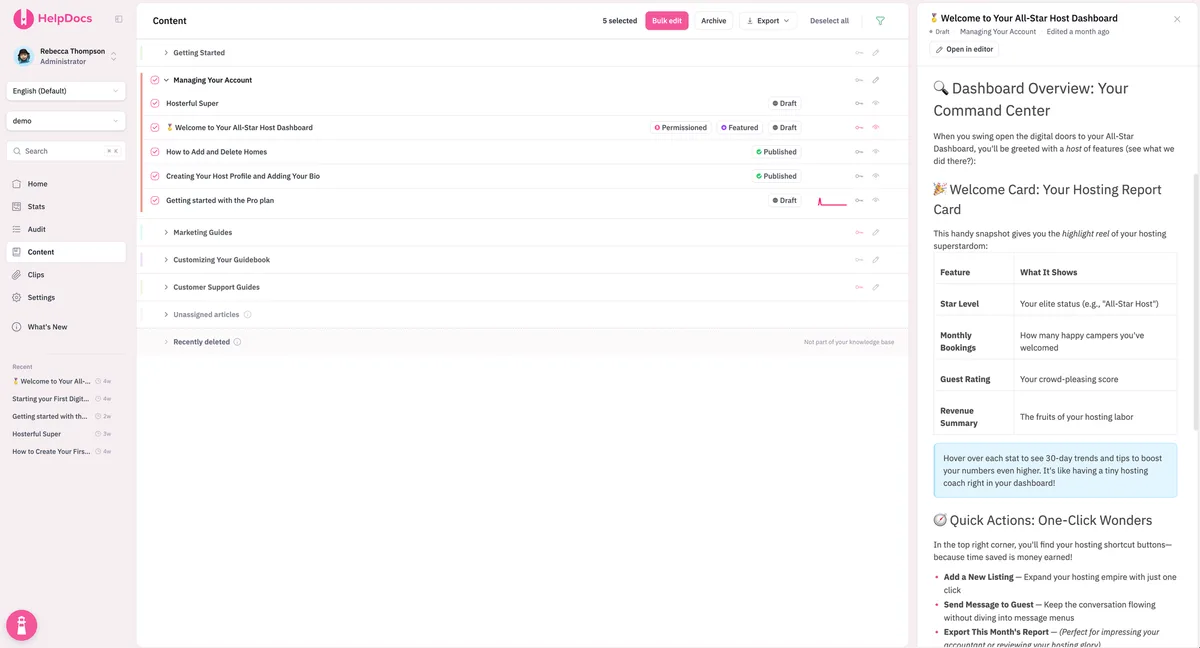
- Show real screens and examples. Generic illustrations force people to translate. Actual screenshots and sample data don’t.
- Keep modules short. A single skill per module is simpler to learn, quicker to find later, and easier to refresh.
- Run it past a new hire. Note where they stumble and smooth those spots out before the next person begins.
- Give it an owner and a review date. Tools and processes shift. Someone has to be watching for that.
When your steps walk a new hire through their first weeks, combine them with our onboarding template.
Go further
- Internal knowledge base Policies, processes and how-tos your whole team can search.
- Knowledge base for call centers One current answer for every agent, mid-call, without hunting.
- How to create a knowledge base for employees A practical path from scattered answers to a knowledge base your team actually opens.